In this post, we will learn how to download and install Microsoft Visual C++ Redistributable. But before we begin, we would like to welcome our dear visitors. Welcome, and thank you for following us.
Definition of Microsoft Visual C++ Redistributable:
Microsoft Visual C++ Redistributable is a tool for installing runtime tanks for the C and C++ programming languages. There are many programs, applications, and games that are developed using the aforementioned programming languages, including VirtualBox.
How to search for Microsoft Visual C++ Redistributable:
Go to a search engine, such as Google, and type in Microsoft Visual C++ Redistributable 2019, as shown in the image below.

Choose the official website as shown in the picture. You can access it directly from here.
How to download Microsoft Visual C++ Redistributable:
First step:
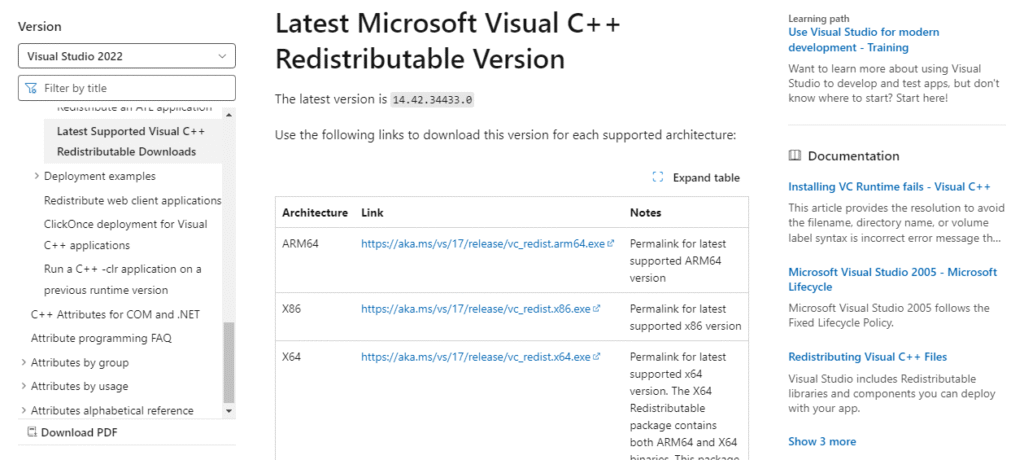
Scroll down a little until we reach (Latest Microsoft Visual C++ Redistributable Version).
Step two:
You select our system type using the table under the phrase (Latest Microsoft Visual C++ Redistributable Version), as shown in the image below.
How to install Microsoft Visual C++ Redistributable:
First step:
Go to the program download location, then click on the program icon twice, then agree to the terms and conditions, as shown in the image below.

Step two:
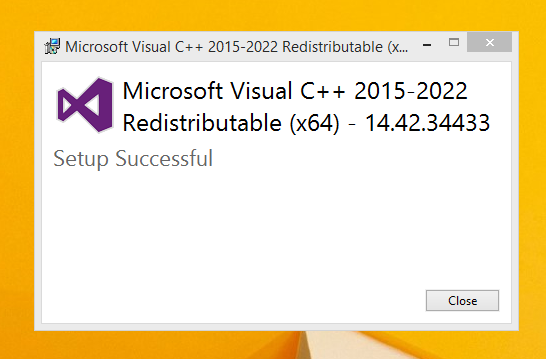
Wait a little while until the “Run as administrator” window pops up, click “yes” and then wait until the installation process is complete, as shown in the image below.
Here we have reached the end of this post, in which we learned How to download Microsoft Visual C++ Redistributable and install.